

Key takeaways
- Schema markup is structured code on your dental website that powers rich results like FAQ dropdowns and address panels, and while it is not a direct ranking factor, it improves click-through rate, entity clarity, and visibility in AI search.
- The schema types that actually matter for a dental practice are Dentist (the most specific foundational type), FAQPage, Service, AggregateRating, Person, and BreadcrumbList, with Dentist deployed first because it gives Google the clearest entity signal.
- After deployment you should validate every block with Google's Rich Results Test, request indexing, and monitor Search Console, because unvalidated schema and content that does not match the visible page are the most common reasons rich results never appear.
Do You Need Schema Markup for Dentists to Stand Out in Search?
Schema markup for dentists is the structured code that turns a plain search listing into something patients actually stop and click (the kind that shows your hours, your services, and your FAQ answers before they even visit your site).
Most dental clinics either skip it entirely or install a generic plugin and assume it’s handled.
Neither approach to dental SEO schema markup gets you the rich results your competitors are already earning.
The gap matters because patients scanning map listings for a dentist in your area are making fast decisions.
A listing that shows up with enhanced details (appointment context, service descriptions matching the services sought, and clear practice information) drives more patient engagement than one that blends into the page.
Schema doesn’t move you up the results; it makes the position you already hold work harder for you.
This guide covers the schema types that actually matter for a dental practice, how to set them up correctly, and how to validate them so Google uses them.
Growth Saloon helps dental practices build the kind of digital presence that consistently generates qualified new patient inquiries – not just clicks.
Contact our team today to find out how our dental marketing services can lower your cost per new patient and grow your practice.
What Is Schema Markup for Dentists and Does It Actually Help SEO?
Schema markup is structured code on a dental website that helps search engines show rich results like FAQ dropdowns and address panels, and it is not a direct ranking factor but it improves CTR and entity clarity.
Schema markup for dentists has been oversold as a ranking hack and undersold as a visibility tool.
Both extremes miss the point.
This section gives the accurate picture of what structured data is, what it does, and what it does not do.
What Exactly Is Structured Data Schema Markup for a Dental Website?
Schema markup is machine-readable structured data added to a dental site’s code that gives search engines explicit context, with vocabulary drawn from schema.org.
It tells search engines not just that there are words about dentistry on the page, but that this is a dental practice, these are its hours, this is its phone number, and these are its services.
As Google’s structured data documentation explains, Google uses structured data it finds on the web to understand the content of a page and to classify it.
Here is what schema actually enables for a dental site:
- FAQ dropdowns generated from FAQ schema
- Hours and address shown in knowledge panel-style displays
- Dental services and treatment details surfaced for relevant queries
- Structured practice data that feeds AI Overviews and voice assistants
Note that star ratings in standard organic search for dental practices primarily flow through Google Business Profile, not website AggregateRating schema, per Google’s review snippet policy.
The same name, address, and phone contact point that lives in your Google Business Profile should mirror the schema on the website.
That consistency signals to Google that the website entity and the GBP listing are the same practice.
Does Schema Markup Directly Improve a Dental Practice’s Google Rankings?
No, schema markup is not a direct ranking factor, and Google has confirmed this.
It still matters because it enables rich results that improve CTR, and a higher click-through rate on a page is a behavioral signal that can compound over time.
Google’s structured data guidelines note that providing structured data does not guarantee Google will use it for rich results, even when the markup is parsed correctly.
The value shows up indirectly in three ways:
- CTR uplift from FAQ dropdowns and enhanced listings, meaning more clicks without moving up the rankings
- Entity clarity, where schema helps Google understand how a particular organization’s website entity is connected to their GBP and third-party citations (which strengthens their local SEO)
- AI and voice search visibility, because AI Overviews and voice assistants draw on structured name, address, hours, and service data to answer “dentist near me” queries
Schema is not a shortcut to page one.
It is a precision tool for getting more out of the search performance you already have.
Now that you know what schema does, the next question is which types your dental site actually needs.
What Schema Types Should a Dental Practice Implement?
Dental practices should implement Dentist, FAQPage, Service, Review and AggregateRating, Person, and BreadcrumbList schema (with Dentist as the most specific and foundational type to deploy first).
The schema vocabulary is large, and most of it is irrelevant for a dental practice.
This section cuts to the six types that actually apply.
The distinction most practices miss is that Dentist is a specific subtype of LocalBusiness (not a generic label), and Google recommends using the most specific type possible for a local business.
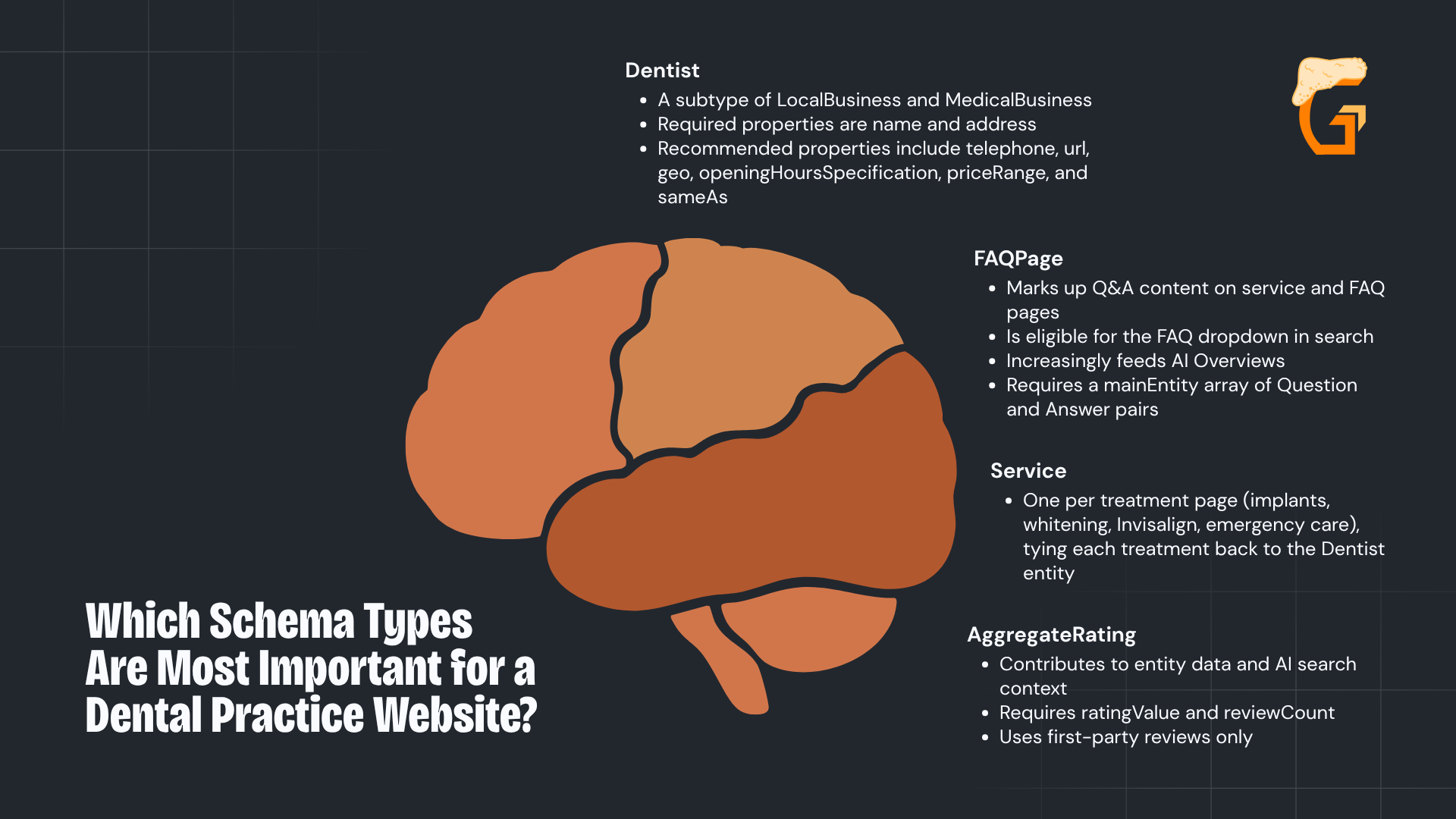
Which Schema Types Are Most Important for a Dental Practice Website?

Schema.org defines Dentist as a subtype of LocalBusiness, so using it rather than a generic LocalBusiness or Organization signals the most specific match to Google.
That specificity matters because it determines which rich results the site is eligible for.
The four core types every dental site should carry:
- Dentist:
- This is subtype of LocalBusiness and MedicalBusiness.
- Required properties are name and address.
- Recommended properties include telephone, url, geo, openingHoursSpecification, priceRange, and sameAs.
- FAQPage:
- This marks up Q&A content on service and FAQ pages.
- It is eligible for the FAQ dropdown in search.
- It increasingly feeds AI Overviews.
- It requires a mainEntity array of Question and Answer pairs.
- Service:
- There should be one per treatment page (implants, whitening, Invisalign, emergency care), tying each treatment back to the Dentist entity.
- AggregateRating:
- This contributes to entity data and AI search context.
- It requires ratingValue and reviewCount (and uses first-party reviews only).
Per Google’s review snippet policy, LocalBusiness entities that control their own reviews are generally ineligible for star display in standard organic search (so organic star ratings for dental practices flow primarily through GBP).
Beyond the core four, two additional types improve E-E-A-T and site structure.
Person schema handles dentist bios, and BreadcrumbList communicates navigation.
What Is Person Schema and How Does It Improve Dentist E-E-A-T Signals?
Google’s quality guidelines place extra scrutiny on health-adjacent content, and one way a dental website signals practitioner expertise and builds patient trust is through Person schema on dentist bio pages.
Healthcare schema markup supports E-E-A-T signals by linking practitioners to their credentials, educational backgrounds, and professional affiliations through structured data.
The Person schema properties worth setting on every bio page:
- name and jobTitle:
- For example, “General Dentist” or “Orthodontist” (with worksFor linked to the Dentist entity on the homepage)
- alumniOf:
- Dental school and any residency program
- memberOf:
- ADA membership, state dental association, and specialty board memberships
- sameAs:
- Healthgrades profile, Zocdoc profile, ADA Find-a-Dentist listing, and state licensing board page
BreadcrumbList rounds this out with one block on every page that communicates site structure (such as Home to Services to Dental Implants) and it is eligible for breadcrumb display in search.
Person schema does not guarantee rich results, but it contributes to entity clarity as a statement describing the practitioner.
The stronger the web of named entities linking back to the practice, the clearer Google’s picture of the site’s authority.
Growth Saloon helps dental practices build the entity and credential signals that turn search visibility into qualified new patient inquiries – not just clicks.
Contact our team today to find out how our dental marketing services can lower your cost per new patient and grow your practice.
Should Dentists Use JSON-LD, a Plugin, or Custom Code for Schema?
Google recommends JSON-LD for all schema.
WordPress plugins like Rank Math handle baseline types, but dental-specific schemas such as Dentist, Service, and FAQPage need custom JSON-LD code.
Most dental practices using WordPress face a fork in the road.
When adding structured data, they can install a schema plugin and call it done, or write custom JSON-LD for the types that matter most.
This section answers when each approach is appropriate and why the format choice matters less than the type choice.
Why Does Google Recommend JSON-LD for Dental Schema Markup?
Google’s structured data documentation explicitly recommends JSON-LD as the preferred format.
JSON-LD lives in a standalone script block in the page head and does not touch the visible HTML, which makes it easier to add, update, and debug without touching the page design.
There are three practical ways to add JSON-LD to a dental site:
- Paste the script block directly into the theme header or page head section
- Use a CMS custom field or a plugin that injects custom header scripts
- Add it via Google Tag Manager, which fires on the target URL with no developer access required
Microdata is still valid but harder to maintain, because it interleaves with the visible HTML.
Format matters less than accuracy.
A correct Microdata block beats a half-complete JSON-LD block, and the recommendation for JSON-LD is about maintainability, not a ranking signal.
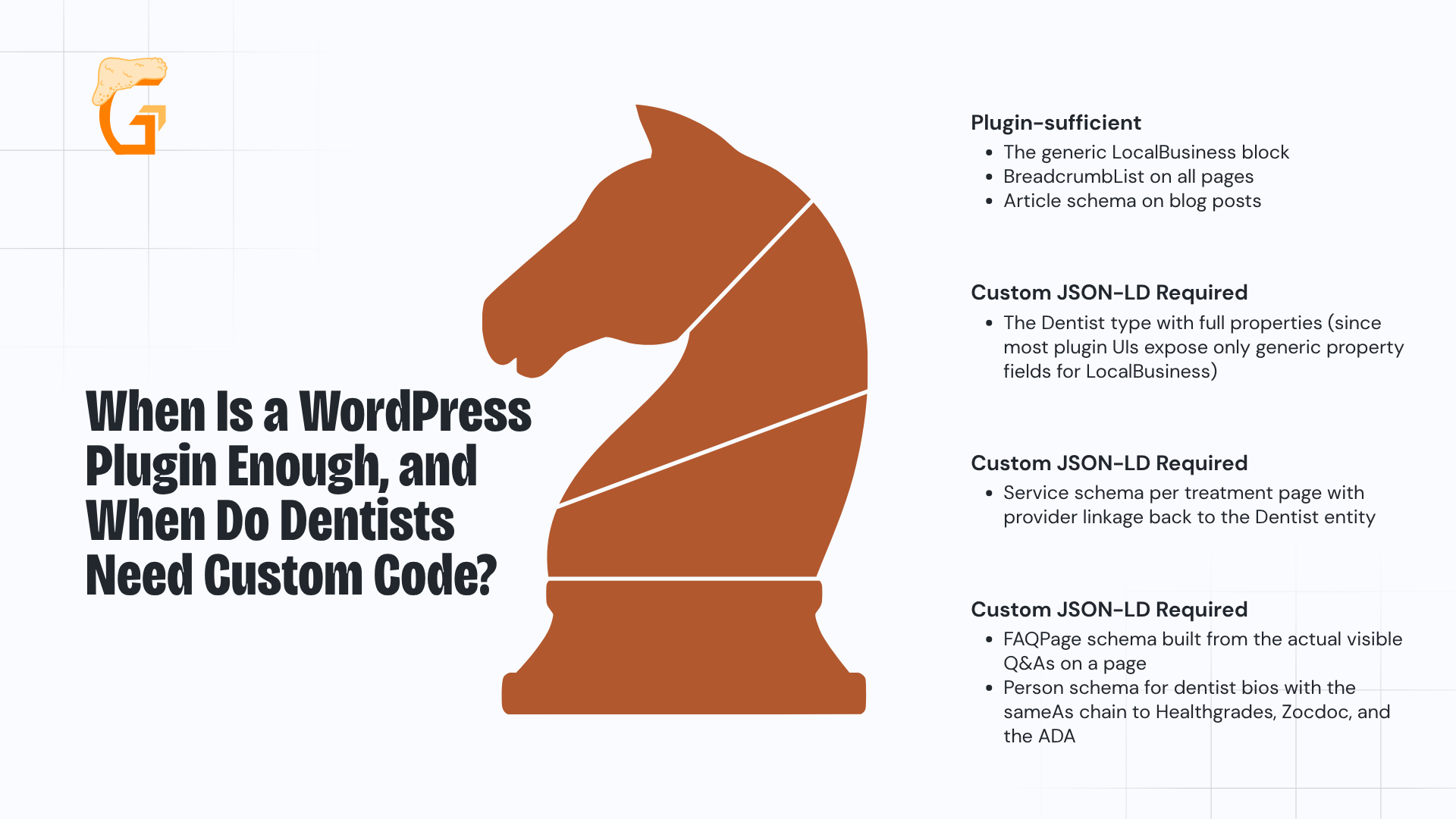
When Is a WordPress Plugin Enough, and When Do Dentists Need Custom Code?

Rank Math and Yoast SEO both generate schema automatically for common types like Article, BreadcrumbList, and a basic LocalBusiness block (and for many dental sites that baseline is a reasonable starting point).
The gap is the Dentist type itself.
Rank Math’s custom Schema Generator supports the common types natively and lets you add any schema.org type with custom JSON-LD for the ones it does not.
Where a plugin is sufficient and where custom code is required:
- Plugin-sufficient:
- The generic LocalBusiness block
- BreadcrumbList on all pages
- Article schema on blog posts
- Custom JSON-LD required:
- The Dentist type with full properties (since most plugin UIs expose only generic property fields for LocalBusiness)
- Service schema per treatment page (with provider linkage back to the Dentist entity)
- FAQPage schema built from the actual visible Q&As on a page
- Person schema for dentist bios (with the sameAs chain to Healthgrades, Zocdoc, and the ADA)
Watch for a plugin conflict too, because running Rank Math and Yoast at the same time creates duplicate LocalBusiness declarations (so disable schema output in one of them).
Use the plugin for baseline coverage and custom JSON-LD for dental-specific types.
Most practices that “have schema” only have the generic LocalBusiness block from a plugin, which is exactly why the higher-value types remain a differentiator.
Now that you have chosen your format and tool, the next section walks through the setup for the four highest-impact schema types.
How’s your SEO going?
Enter your website URL below to get a free comprehensive SEO audit.
The audit includes:
- A scan of your entire website for technical issues
- A list of your top opportunities to target immediately
- Your highest priority fixes to make
How Do You Set Up the Core Schema Types for Your Dental Website?
Start with:
- Dentist schema on the homepage;
- FAQPage on Q&A pages;
- Service schema on each treatment page; and
- AggregateRating where patient reviews appear.
This section covers the four highest-impact schema types with the key required properties for each.
It is not a step-by-step code tutorial but a document describing the structured information that must be in each block and what mistakes to avoid.
As Google’s local business documentation notes:
- The required properties are name and address.
- Adding recommended properties (like telephone, url, geo, and openingHoursSpecification) helps Google return better results.
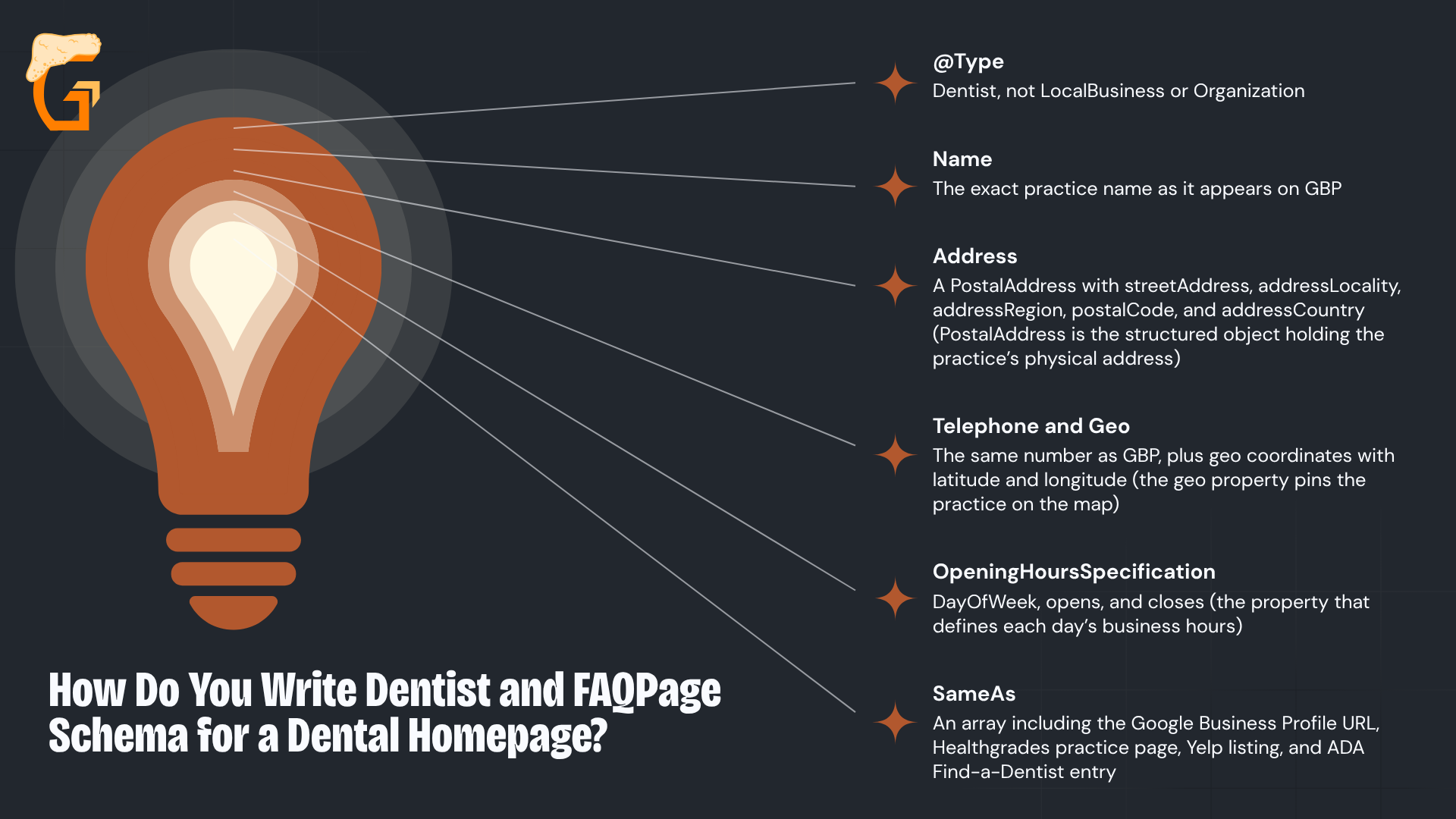
How Do You Write Dentist and FAQPage Schema for a Dental Homepage?

The Dentist schema block is the foundation, and every other schema type on the site should reference back to the Dentist entity.
Set the @type to Dentist and list the required properties typically assigned for rich results and entity identification.
The Dentist schema block should include:
- @type:
- Dentist
- Not LocalBusiness or Organization
- name:
- The exact practice name as it appears on GBP
- address:
- A PostalAddress with streetAddress, addressLocality, addressRegion, postalCode, and addressCountry
- PostalAddress is the structured object holding the practice’s physical address.
- telephone and geo:
- The same number as GBP
- Plus geo coordinates with latitude and longitude (the geo property pins the practice on the map)
- openingHoursSpecification:
- dayOfWeek, opens, and closes
- This is the property that defines each day’s business hours.
- sameAs:
- An array including the Google Business Profile URL, Healthgrades practice page, Yelp listing, and ADA Find-a-Dentist entry
For the FAQ page, set @type to FAQPage with mainEntity as an array of Questions, where each Question has:
- @type Question;
- A name holding the question text; and
- An acceptedAnswer with @type Answer and a text property.
A properly marked-up FAQ page requires the mainEntity property to contain all questions and answers on the page, and every Q&A in the schema must match the visible text.
Every piece of specific information in the Dentist block (including name, address, and phone) must match the GBP listing and primary citation sources exactly.
Discrepancies signal inconsistency and can suppress rich results.
How Do You Add Service and Review Schema to Dental Treatment Pages?
Every treatment page (whether dental implants, Invisalign, whitening, or emergency dentistry) is an opportunity to define the service, link it back to the practice entity, and signal geographic scope.
Most dental sites have no Service schema on treatment pages, so it helps your practice stand out in most markets.
Service and AggregateRating break down like this:
- Service schema:
- @type Service;
- A name such as “Dental Implants”;
- A serviceType such as “Dental Implant Placement”;
- A provider as the party primarily responsible with an @id linking to the Dentist entity on the homepage; and
- areaServed with the city or region served.
- AggregateRating:
- Placed under the Dentist entity on pages that display patient reviews;
- With ratingValue (the average score), reviewCount (the total number of reviews), and bestRating set to 5.
There is an important caveat here.
Google’s review snippet policy states that review rich results are not supported for reviews of a business by the business itself (which means LocalBusiness and Organization entities are generally ineligible for star display in standard organic search).
AggregateRating schema still contributes to entity data for AI search and Knowledge Graph understanding, but star ratings in organic SERPs for dental practices flow primarily through GBP, not website schema.
Service schema must describe a service that is bookable and visible on the page, and AggregateRating must reflect actual review data shown on the page.
Such data describing content not visible to users is a policy violation under Google’s structured data guidelines.
Setting up schema is the build, and the next step is confirming it works and catching the mistakes that prevent rich results from appearing.
Growth Saloon helps dental practices build accurate, policy-compliant schema across every treatment page so the work produces qualified new patient inquiries – not just clicks.
Contact our team today to find out how our dental marketing services can lower your cost per new patient and grow your practice.
How Do You Test Dental Schema Markup and Avoid Common Mistakes?
Validate schema using Google’s Rich Results Test after deployment, then monitor Search Console’s rich results report.
The most common mistakes are the wrong schema type, content mismatches, and duplicate plugins.
This is the QA step most dental practices skip.
They add schema and never verify it works or check whether Google found errors.
The fix is a two-tool approach (and Google confirms that structured data with technical errors or policy violations will not be eligible for rich results no matter how complete the markup looks).
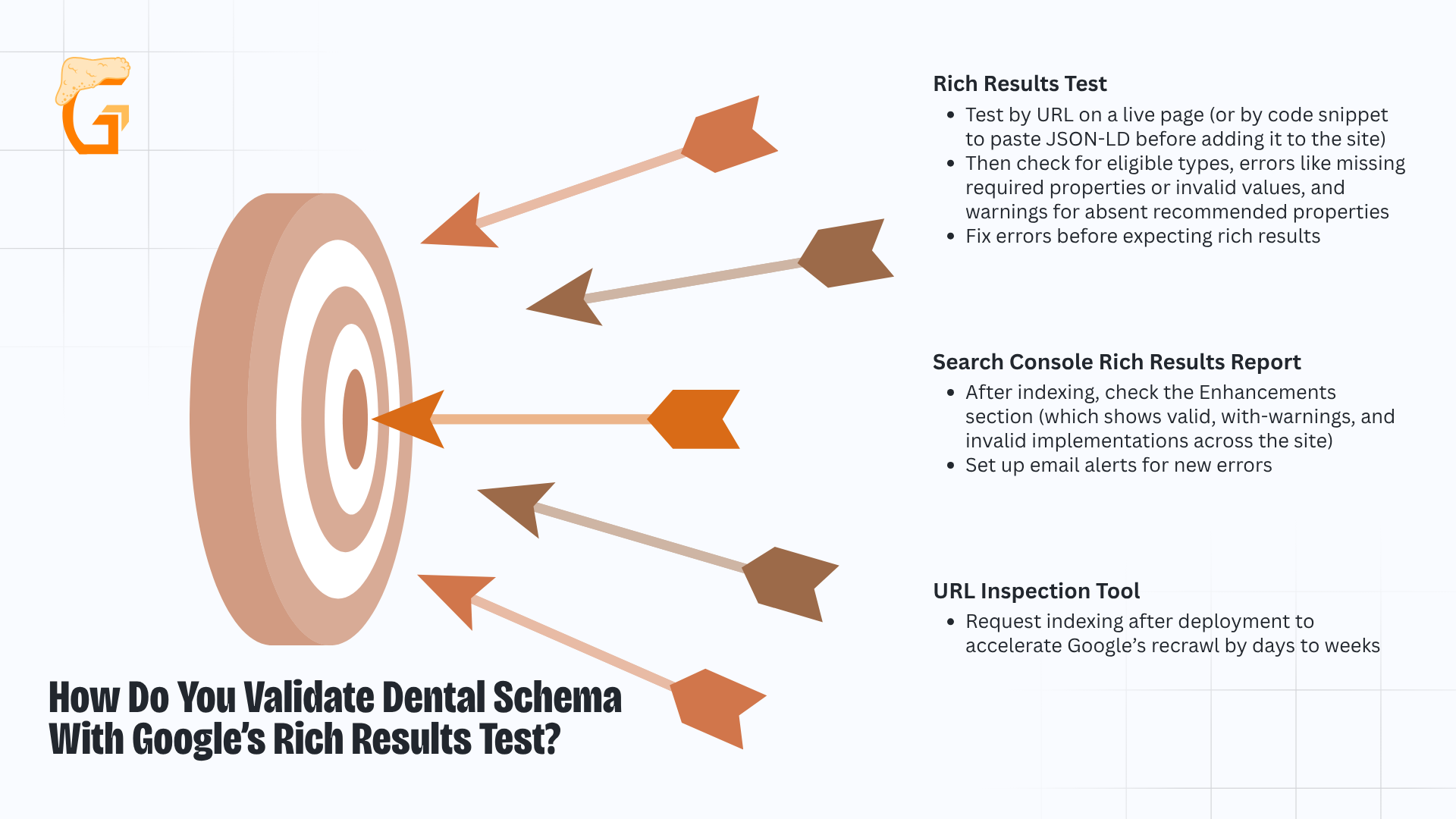
How Do You Validate Dental Schema With Google’s Rich Results Test?

Google’s Rich Results Test is the first check, and you should run it by URL immediately after deployment.
It shows which rich result types the page is eligible for, any errors that block eligibility, and warnings that reduce it.
The two-tool validation workflow:
- Rich Results Test:
- Test by URL on a live page (or by code snippet to paste JSON-LD before adding it to the site).
- Then check for eligible types, errors (like missing required properties or invalid values), and warnings for absent recommended properties.
- Fix errors before expecting rich results.
- Search Console rich results report:
- After indexing, check the Enhancements section (which shows valid, with-warnings, and invalid implementations across the site) and set up email alerts for new errors.
- URL Inspection tool:
- Request indexing after deployment to accelerate Google’s recrawl by days to weeks.
Rich results can take two to six weeks to appear in live search even after the Rich Results Test shows eligibility.
Search Console’s rich results report confirms live activation, and that is the number to watch.
What Are the Most Common Schema Markup Mistakes on Dental Websites?
Four avoidable mistakes consistently kill dental schema performance, and each one results in Google either ignoring the schema or suppressing rich results that would otherwise appear.
Google’s guidelines are explicit that structured data must describe the content of the page, and markup that does not is considered spam.
The four mistakes to avoid:
- Using Organization or generic LocalBusiness instead of Dentist:
- Google will not surface dental-specific rich results from a less-specific type.
- The fix is one line (changing @type to Dentist).
- Schema properties not matching visible page content:
- If the day or time ranges in the schema say open Monday through Saturday but the page lists Monday through Friday, Google treats that content mismatch as spam and suppresses the rich result.
- Expecting AggregateRating to produce organic star ratings for your own practice:
- Per Google’s review snippet policy, LocalBusiness entities are ineligible for this feature on self-serving reviews.
- Organic star ratings for dental practices come from GBP, not website schema.
- Stale schema:
- When hours change, dentists leave, or services are discontinued, schema that no longer matches GBP or page content triggers Search Console errors and suppresses previously active rich results.
Schema is not a one-time install.
Any time the practice changes hours, adds a provider, or changes a service, the schema must be updated on the website, not just in GBP.
For single locations this covers everything, but for group practices, a DSO operating as a single legal entity, and any practice thinking about AI search, there is one more layer.
Growth Saloon helps dental practices keep schema validated and current so it keeps producing qualified new patient inquiries – not just clicks.
Contact our team today to find out how our dental marketing services can lower your cost per new patient and grow your practice.
How Should Multi-Location Dental Practices and DSOs Structure Their Schema?
DSOs should use MedicalOrganization as the parent entity with individual Dentist schemas per location, and structured data also feeds AI Overviews and voice assistants answering “dentist near me” queries.
This matters for two audiences.
DSOs and group practices need a parent-child entity structure that mirrors their organizational ownership structure, and any practice that wants to see how schema feeds AI search needs the second half of this section.
As schema.org defines it, MedicalOrganization is the umbrella type for healthcare organizations and the recommended parent entity for multi-location practices.
How Should a Multi-Location Dental Group or DSO Structure Its Schema?
DSOs and group practices use @type MedicalOrganization as the root entity representing the group, then @type Dentist as individual location entities linked via the subOrganization property.
Each of the physical locations needs its own unique PostalAddress and telephone.
You should not reuse the same address or phone across multiple Dentist entities (because duplicate NAP data across locations creates citation confusion).
A dedicated page per location with its own Dentist schema block is always preferable to one aggregated page listing such facilities together.
How Does Dental Schema Markup Support AI Overviews and Voice Search in 2026?
In 2026, Google’s AI Overviews pull structured name, address, hours, and service details from dental websites to answer healthcare-adjacent queries (which is the same data that lives in well-implemented Dentist schema).
Voice assistants like Google Assistant and smart speakers read back the schema properties patients in a given geographic area typically expect for “dentist near me open now” queries.
The underlying mechanism is entity clarity, and schema markup helps search engines understand the relationships between entities while supporting Knowledge Graph recognition and voice-search interpretation.
When the schema on the website, the GBP listing, and the citation data all describe the same entity with consistent NAP and service scope across a properly secured healthcare website, Google’s Knowledge Graph has high confidence in the entity and surfaces it across search formats.
For practices that want a full schema architecture implemented correctly, including the Dentist entity, Service schema per treatment page, FAQPage, and Person schema for each provider (this is where the work pays off).
Growth Saloon builds full dental schema architecture as a standard deliverable, not a plugin checkbox, so your practice earns qualified new patient inquiries – not just clicks.
Contact our team today to find out how our dental marketing services can lower your cost per new patient and grow your practice.
How Can Growth Saloon Help Your Dental Practice Grow?
Growth Saloon is a Chicago-based digital marketing agency built to help dental practices attract more patients and grow their practice through performance-driven digital marketing.
Mike Lowe and the Growth Saloon team specialize in SEO, web design, conversion rate optimization, and marketing attribution – working alongside your practice to build a measurable digital presence that generates qualified patient inquiries, not just website traffic.
From ranking in high-intent local search results to converting potential patients into booked appointments, Growth Saloon focuses on results at every stage of the patient acquisition funnel.
Practice owners and marketing managers get clear visibility into exactly which channels are driving new patient growth.
We know that every open appointment slot has a real cost.
Every decision we make is built around one outcome – helping your practice fill more of them.
Meet the Founder of Growth Saloon
Meet the founder and lead strategist at Growth Saloon – Mike Lowe:
- As founder and CEO of Growth Saloon, Mike brings years of hands-on experience in SEO strategy, CRO, web design, and marketing attribution for service-based businesses competing in local and regional markets.
- Based in Chicago and working with practices across the country, Mike has built and managed digital growth campaigns for businesses competing in some of the most contested search markets in the country.
- Growth Saloon’s data-driven approach to local SEO and patient acquisition helps dental practices turn their websites into their highest-performing new patient channel.
What Does Working With Growth Saloon Look Like?
Growth Saloon operates as a dedicated extension of your marketing team – not a vendor that disappears after onboarding.
Every engagement includes direct access to Mike and the team, transparent reporting tied to actual patient acquisition outcomes, and strategies tailored to your specific services and local market.
Whether you’re looking to rank for high-value procedures, improve your site’s appointment conversion rate, or finally get clarity on where your new patients are actually coming from, Growth Saloon makes it a collaborative effort to build the strategy and do the work.
Growth Saloon helps dental practices build the kind of digital presence that consistently generates qualified new patient inquiries – not just clicks.
Contact our team today to find out how our dental marketing services can lower your cost per new patient and grow your practice.
How's your SEO going?
Get your free comprehensive SEO audit.
Enter your website URL below to get a free comprehensive SEO audit.
- Scan entire website for technical issues
- Get a list of your top opportunities
- See your highest priority fixes to make
-
Schema markup and Google Business Profile are separate tools that work together.
GBP manages your public listing on Google Maps and local pack results.
Schema markup is code added to your website that helps Google display rich results in organic search.
Both should reference the same name, address, and phone number, but they are maintained independently.
-
Schema markup is not required, and dental websites rank and attract prospective patients without it.
However, practices that implement schema gain access to rich results that increase visibility and click-through rates in search, alongside baseline requirements like web accessibility that apply to public-facing healthcare sites.
In competitive local markets, schema is a low-cost differentiator that most dental competitors have not fully implemented.
-
Yes, a single dental page can and should carry multiple schema types.
A homepage might include Dentist, AggregateRating, and BreadcrumbList simultaneously (while a treatment page might combine Service and FAQPage).
The requirement is that every schema block describes only website content that is actually visible on that specific page.
-
Schema markup typically appears in Search Console’s rich results report within a few days of Google recrawling the page.
Rich snippets in live search results can take two to six weeks as Google validates the markup against visible content.
Using Google’s URL Inspection tool to request indexing immediately after deployment can speed the process.
-
Google stops showing rich results for pages with schema errors rather than displaying incorrect information.
Errors appear as warnings or critical issues in Search Console’s rich results report.
Most are fixable, typically a missing required property or a content mismatch, and rich results usually return within two to four weeks after correction.
-
Yes, schema markup should be updated any time practice details change, including new hours, added or removed services, staff changes, or a new phone number.
Stale schema that conflicts with your GBP listing or visible page content can trigger Google warnings and cause rich results to stop appearing in search.
Most agencies sell traffic. We sell actual growth. That’s the Growth Saloon difference.
Are you looking to grow?
Recent blogs
Enter your website URL below to get free comprehensive SEO audit.
- Scan entire website for technical issues
- Get a list of your top opportunities
- See your highest priority fixes to make